


Upgrade Your Team’s Skills
Wind River training and education options help maximize your investment in Wind River® products by getting development teams up to speed quickly, as well as keeping them on top of all the latest features and capabilities in new releases.
With a robust catalog of educational offerings and continuously expanding content, we can customize a unique learning experience around your business needs.
- 50+ instructor-led training courses
- 1,500+ online videos
- 200+ hours of on-demand content
- 100+ quizzes
- 100+ hands-on lab exercises
- Access to Wind River subject matter experts
- Progress reporting
95% of all Wind River Education Services students say their training will make them better at their jobs.*
*Based upon an all-time aggregate of exit survey results from all of our students.
Learning Options to Fit Your Needs
We offer multiple training options with delivery catering to different learning styles. All of our learning services are led by expert engineers who can help customers integrate our solutions within their environment.
On-Demand Learning Subscription
- Learning at your own pace with 24/7 access from anywhere
- Great for dispersed teams
- Online videos, hands-on labs, and quizzes
- Structured “Ask-the-Expert” room for social learning
- Tailored to your needs
Instructor-Led Training (Private)
- Live instructor reinforcing key concepts relevant to your team
- Lab intensive, hands-on
- Learning from others on your team and tailored agendas to optimize learning
- Can be onsite or Live Remote
Mentoring
- Paired enablement training on specific topics of your choice
- Consulting on specific topics
- 1:1 or small group
Custom Training
- Custom-built training focused on your own environment and workflows
- Private online environment for your content
- Video lessons, hands-on labs, and how-to documents
- Online modules reinforced with intensive live training
Knowledge Certification Program
- Online exam delivery through our certification platform (CertiVerse)
- Globally recognized achievement badges via Credly
- All certifications valid for 3 years
- Discounts on re-certification
Learning Subscription
The Wind River Learning Subscription is a 24/7 subscription for on-demand learning and includes customized access to our on-demand catalog. Our courses provide conceptual context, in-depth explanations, hands-on lab exercises with solutions, and access to a Wind River expert to ask specific questions related to the course.
Buy Now Access Learning SubscriptionLearning Subscription Components

Content: Customized access to on-demand learning including videos and exams
- New content continually added

Hands-on lab: On-demand, browser-based access to lab exercises for each learner
- Published lab solutions recorded
- Stop and rewatch an existing concept until it is clear

Learning rooms: Structured as an “Ask-the-Expert” room for social learning
- Ask specific questions regarding our content and we will get back to you within 24 hours

Learning platform: Secure access to learning content with team progress reporting
- For HR departments and managers investing in larger training programs
- See individual course progress and view analytic summaries

Your Video Is Almost Ready
This video is hosted on YouTube, and playing it requires allowing YouTube cookies on your device.
View our Cookie Policy
Popular Courses

VxWorks Essentials
This course provides engineers with a fast, cost-effective way to acquire the skills necessary to develop real-time applications with VxWorks and Wind River® Workbench.
» View Course
Real-Time Systems: Project Environment
Learn about project environment considerations for your real-time project.
View course
Working with Helix Virtualization Platform
Learn how to build and configure Wind River Helix Virtualization Platform.
View course
Wind River Studio: Managing VxWorks Application Projects
Learn about projects and workspaces.
View course
Introduction to Intel Simics
Get introduced to Intel Simics, its features and architecture.
Instructor-Led Training
Our training, either in-person or remote, is delivered live by expert instructors with deep product knowledge and experience. Our course format involves demonstrations, lectures, and lab exercises, with the option to have a session of “whiteboarding” to cover concepts outside of the course.
Instructor-led training caters to a variety of users with different levels and areas of expertise. We offer essential beginner courses to help get you started as well as deeper-dive courses to address more advanced topics.
Outside of our standard training course offering, we also offer tailored training courses around topics specific to your needs – at no additional cost.
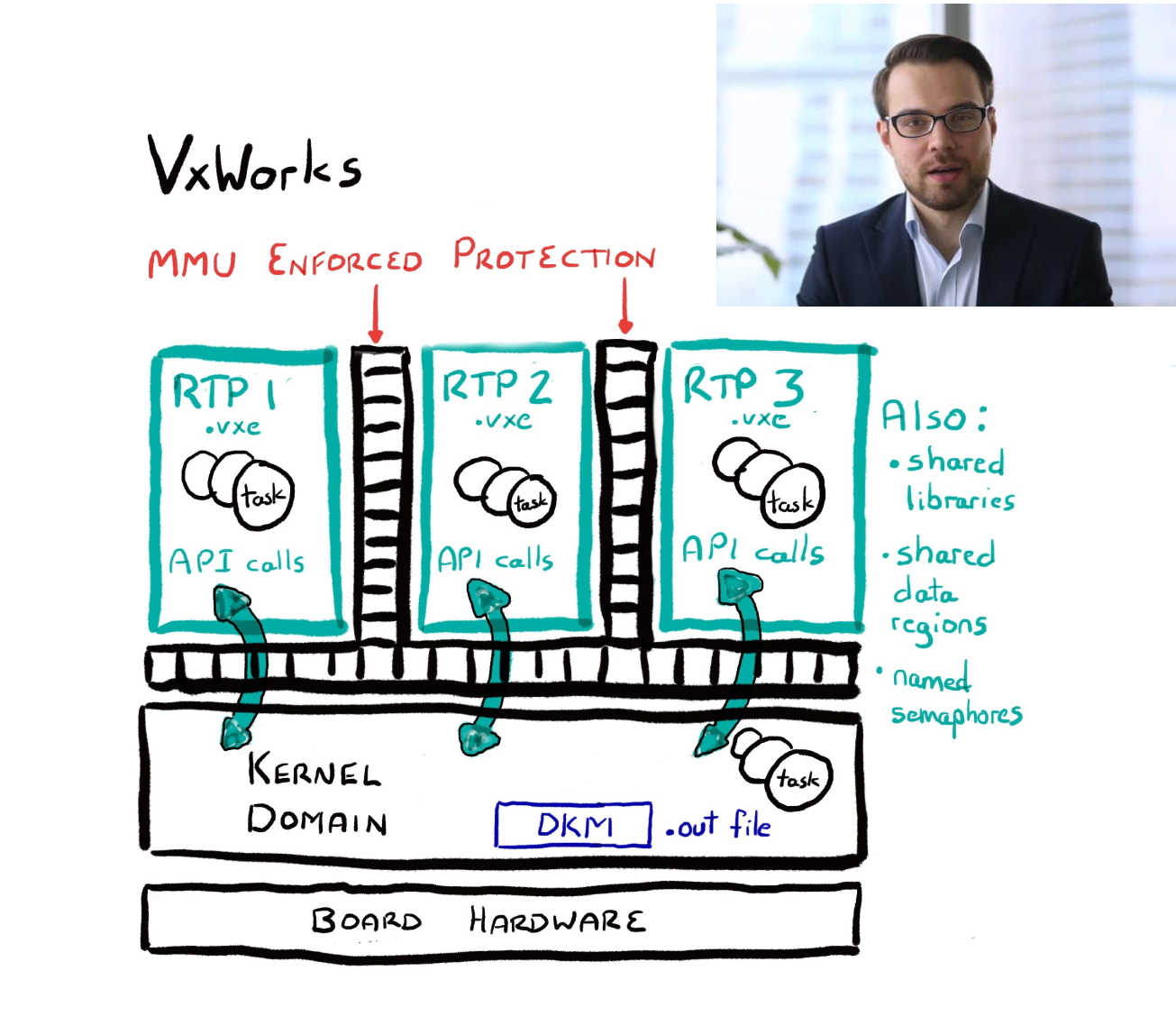 Whiteboarding Session During Remote Training
Mentoring
We offer custom training and assistance to help you integrate Wind River solutions into your environment to give your team a running start. We focus on increasing the skills of your team, improving productivity, and accelerating the adoption of solutions while reducing risks.
Wind River Mentoring will help you:
- Speed up product installation and configuration to your environment
- Learn best practices for using software tools
- Understand how to improve development workflow
- Refine project design and planning, including deployment and remote support
- Gain insights for streamlining debugging cycles
 Mentoring can help you increase productivity and reduce risk
Benefits
Increasing productivity
- Ensure that developers are using tools and technology efficiently
- Remove productivity obstacles early
- Avoid trial-and-error cycles
- Ramp up new team members quickly
Reducing risk
- Ensure that technology is applied optimally
- Catch problems early, before they impact other parts of a project
- Gain insights from experts into your specific project demands and environment
- Eliminate costly project escalations